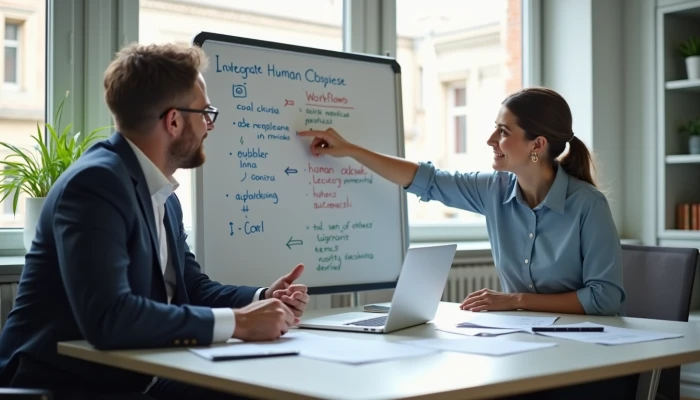
Where Small Business Automation Still Needs a Human in the Loop
AI automation for small business works best when it removes repetitive work without removing accountability. That sounds obvious, but many small teams run into trouble when they automate a task that still needs judgment, context, or approval.
The risk is not just technical failure. It can show up as a wrong client message, a billing mistake, a missed exception in scheduling, or an AI-generated response that sounds efficient but misses what the customer actually needs. For service businesses, that can damage trust faster than it saves time.
A better approach is to design workflows where AI does the repeatable parts and people handle the parts that carry risk, nuance, or relationship value. This guide lays out a simple way to do that, with practical implementation steps, risk controls, and examples of human-AI collaboration you can apply to real operations.
Understanding Risks of Unchecked AI Automation
Unchecked automation usually fails in ordinary business moments, not dramatic ones. A workflow can look fine in testing and still break when a customer submits incomplete information, asks an unusual question, or triggers a rule nobody thought to add.
Implementation guidance on business process automation regularly points to common failure points such as incorrect billing logic, messages sent to the wrong recipients, and workflows that keep running even when the input data is flawed. In a small business, one bad automation can affect cash flow, customer trust, and staff time all at once.
The biggest risks usually fall into three buckets.
- Operational errors: AI may misclassify requests, summarize details incorrectly, or route work to the wrong place.
- Compliance and approval gaps: If a workflow touches sensitive customer information or regulated steps, skipping review can create avoidable exposure.
- Loss of personal touch: Over-automated communication can make clients feel ignored, especially when they need reassurance or a tailored answer.
A useful rule is this: the more a step affects money, commitments, sensitive information, or customer trust, the less suitable it is for fully unattended automation.
That does not mean avoiding automation. It means avoiding the idea that automation is "set and forget." Small businesses usually need a tighter feedback loop because they have fewer layers to catch mistakes after the fact.
Framework for Human-AI Workflow Integration
The simplest way to balance speed and control is to map each workflow into three zones: what AI can do alone, what AI can prepare for review, and what only a person should finalize.
This keeps the conversation practical. Instead of asking whether AI should run a whole process, ask which step belongs in which zone.
Use this framework.
| Workflow zone | AI role | Human role | Good fit |
|---|---|---|---|
| Low risk | Draft, classify, extract, route | Spot-check periodically | Tagging inquiries, summarizing notes, sending standard confirmations |
| risk | Prepare output | Review before send or approval | Quote drafts, follow-up emails, schedule changes with exceptions |
| High risk | Assist with context only | Make final decision | Billing corrections, sensitive support issues, policy exceptions |
To apply it, define boundaries before you build the automation.
- List the exact steps in the workflow.
- Mark where data enters the process.
- Identify where the workflow affects a customer, payment, appointment, or record.
- Assign each step to low, , or high risk.
- Add a required human checkpoint for any - or high-risk step.
Practical oversight checkpoints often include:
- Reviewing AI-generated outputs before they are sent externally
- Requiring approval for exceptions outside normal rules
- Escalating low-confidence or incomplete inputs to a person
- Logging who reviewed or approved the final action
This structure works well for small teams because it does not require enterprise governance. It just requires clear ownership. Someone should know when the AI is allowed to act, when it must pause, and who decides what happens next.
Examples of Effective Human-AI Collaboration
Hybrid workflows are easiest to understand when tied to common service business tasks. The goal is not to make people compete with automation. It is to let AI handle speed and consistency while people handle exceptions, judgment, and relationships.
Here are three practical examples.
Lead intake
AI lead intake automation can capture form submissions, pull out service details, tag urgency, and route the request to the right inbox or CRM stage. A person should still review leads that are incomplete, unusually large, outside the normal service area, or unclear about scope.
Customer support
AI customer support automation can answer routine questions using approved templates and pull account context into the reply draft. Human staff should take over when the issue involves frustration, refunds, complaints, unusual requests, or anything that needs discretion.
Scheduling
AI appointment scheduling can confirm standard bookings, send reminders, and suggest available time slots. Human review is useful when the request conflicts with technician availability, requires travel coordination, or falls outside standard booking rules.
A simple handoff model looks like this.
- AI handles the first pass.
- The workflow checks for missing data, unusual conditions, or confidence issues.
- If no issue is found, the task continues automatically.
- If an issue is found, the task is assigned to a person with the relevant context attached.
This matters because a handoff should not force staff to start over. Good hybrid workflows pass along the customer message, extracted details, prior actions, and the reason for escalation. That makes the human step faster and more reliable, instead of turning automation into extra admin work.
Risk Mitigation Strategies for AI Workflows
If you want automation to stay useful over time, build controls into the workflow from the start. Most problems do not come from using AI at all. They come from weak inputs, unclear rules, missing review steps, and no process for catching drift.
Start with an operational checklist.
- Keep an audit trail of AI outputs, , edits, and final actions.
- Validate inputs before the AI step runs.
- Create escalation triggers for exceptions, low confidence, or missing information.
- Review a sample of completed tasks on a regular schedule.
- Update prompts, rules, and templates when errors repeat.
- Train staff on what the AI is allowed to do and what it is not allowed to do.
It also helps to track a few simple metrics. You do not need a complex analytics stack. For most small teams, these are enough.
| Metric | What it tells you |
|---|---|
| Error rate | Whether outputs are accurate enough to trust |
| Escalation rate | Whether the workflow is seeing too many exceptions |
| Rework rate | Whether staff are fixing too many AI-generated mistakes |
| Resolution time | Whether the handoff process is efficient |
| Customer complaints tied to automated steps | Whether service quality is slipping |
One more point matters here: automation can reduce manual errors in the right process, but only when the workflow is designed well. If you automate a broken process, you often just make the mistakes happen faster. That is why testing against known examples and training staff to spot bad outputs are core parts of risk mitigation, not optional extras.
Implementation Steps for Hybrid Workflows
The safest way to roll out small business AI automation is to start narrow. Pick one repetitive workflow with clear rules, enough volume to matter, and low downside if something goes wrong.
A good first target might be intake triage, reminder emails, internal note summaries, or standard scheduling confirmations. Avoid starting with anything that makes final financial decisions, handles sensitive exceptions, or sends high-stakes client communication without review.
Use this implementation sequence.
- Choose one workflow. Pick a task that is repetitive, documented, and easy to measure.
- Map the current process. Write down each step, who does it, what systems are involved, and where mistakes happen now.
- Separate tasks by risk. Decide what AI can do automatically, what needs approval, and what stays fully human.
- Build the handoffs. Use workflow orchestration tools to route tasks, attach context, and pause for review when needed.
- Test with real examples. Run the workflow on a controlled sample before wider use.
- Train the team. Make sure staff know how to review outputs, correct errors, and escalate issues.
- Monitor and adjust. Track error rates, turnaround time, and exception patterns, then refine the rules.
For orchestration, small businesses often use simple automation platforms to connect forms, calendars, inboxes, CRMs, and review steps. The tool matters less than the handoff design. Whether you use Zapier automation for small business, Make automation for small business, or n8n automation for small business, the key question is the same: does the workflow know when to stop and ask for a human?
If the answer is no, the automation is probably too aggressive.
A practical rollout standard is to require a review period before removing any checkpoint. Let the team see where the AI performs well, where it struggles, and which exceptions happen often enough to deserve better rules. That is how hybrid workflows become dependable instead of fragile.
Conclusion
The point of automation is not to remove people from business operations. It is to remove avoidable manual work while keeping the judgment, accountability, and service quality that customers still expect.
For small businesses, the most durable setup is usually a hybrid one. Let AI handle repetitive steps such as sorting, drafting, extracting, and routing. Keep humans responsible for , exceptions, sensitive communication, and anything that carries meaningful risk.
If you build clear boundaries, review checkpoints, and escalation rules into the workflow from the start, AI workflow automation becomes much easier to trust. That is what makes automation sustainable: not full autonomy, but reliable handoffs between software and people.